

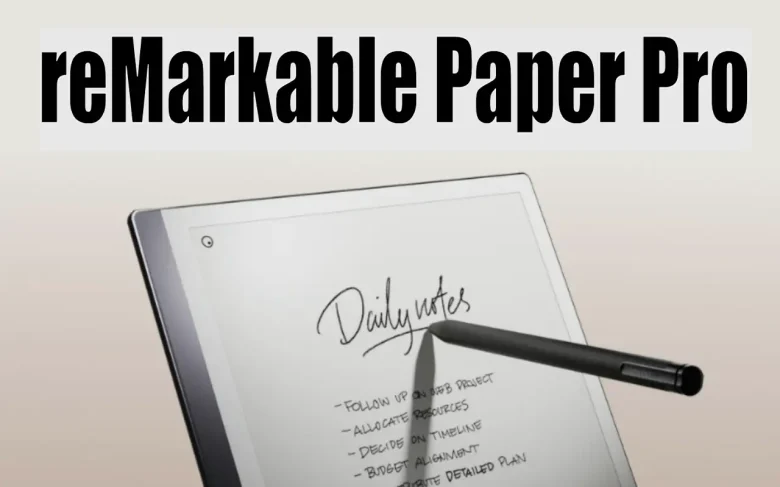
The reMarkable 3 (reMarkable Paper Pro) generates a lot of buzz as the next big thing in e-ink note-taking tablets. After the reMarkable 2 fixed many issues from the first model, like file upload problems and slow performance, it’s clear that it’s time for an upgrade.
The reMarkable tablets let you write, draw, and sketch with a stylus, making it feel like you’re using real paper. You can also organize and sync your notes across devices.
If you’re also interested in how to get the most out of your Apple Pencil, check out our guide on how to connect the Apple Pencil to your iPad for seamless note-taking and sketching.
Announcement of reMarkable Paper Pro (reMarkable 3)
Remarkable, based in Oslo, Norway, has just introduced the Remarkable Paper Pro (reMarkable 3), claimed to be the world’s thinnest paper tablet with a color screen.
This new tablet combines cutting-edge technology with the familiar feel of real paper, aiming to boost your focus and productivity.
It comes with an 11.8-inch color display, an adjustable reading light, and an impressive paper-like writing experience.
First Impression on reMarkable Paper Pro
The Remarkable Paper Pro (reMarkable 3) feels much larger than earlier models with its 11.8-inch display. Compared to the Remarkable 2, this new version has a bigger screen and a flatter frame that feels like a stack of papers.
The old metal frame is gone, replaced by a slimmer bezel and rubber feet at the bottom. Plus, it now has connectors for the Type Folio, adding to its versatility.
Key Features of reMarkable Paper Pro
1. Color Display: Remarkable Paper Pro (reMarkable 3) is bringing color to its paper tablets for the first time! The new canvas display lets you write and read in nine colors, making your notes and drawings more vibrant and expressive.
2. Innovative Technology: The Remarkable Paper Pro (reMarkable 3) uses colored ink particles on its screen, giving you a more natural, glare-free reading experience than traditional displays.
3. Enhanced Performance: With a 12-millisecond latency—40% faster than before—and a larger 11.8-inch screen, this device offers more space and quicker response times for all your notes and ideas.
reMarkable Paper Pro (reMarkable 3): Design And Functionalities
1. Design: The Remarkable Paper Pro is incredibly sleek, measuring just 5.1 millimeters thick. It’s crafted from anodized aluminum and glass, making it lightweight and durable. Plus, it offers up to two weeks of battery life on a single charge.
2. Customization: You can personalize your tablet with different folio options, ranging from eco-friendly recycled polymer weaves to luxurious leather finishes. Prices for these folios vary between $299 and $179.
3. Security and Integration: The Paper Pro has strong security features, including automatic file encryption and a secure boot system. It also works seamlessly with Remarkable’s mobile and desktop apps through a Connect subscription.
reMarkable Paper Pro: Technical Specifications
The Remarkable Paper Pro is 196.7 x 251 mm in size and weighs 525 grams. It has an 11.8-inch color display and comes with 64 GB of storage.
It’s powered by a speedy quad-core 1.8 GHz processor and has 2 GB of RAM, giving it up to two weeks of battery life on a single charge. Plus, it features a USB-C port for easy connectivity.
reMarkable Paper Pro (reMarkable 3) Marker Plus
The new reMarkable Paper Pro (reMarkable 3) Marker Plus features sleek and functional packaging, with marker tips conveniently included on the side for easy replacement. It has a rounder design compared to the previous model but still offers a flat side for comfortable use on the tablet. It should be noted that the Marker Plus and other new accessories are not compatible with earlier models.
reMarkable Paper Pro: Color Display And Writing Experience
The color display on the Remarkable Paper Pro represents a significant upgrade. The screen uses colored particles that become visible when writing, which enhances the overall visual experience. The sensation of writing remains very close to using actual paper, and the new backlighting feature makes it easy to use even in dim lighting. To know more features, check out their official website.
reMarkable Paper Pro: Accessory Overview
Let’s take a brief look at the accessories for the reMarkable Paper Pro that can help you get the most out of this cutting-edge tablet.
1. Type Folio
The Type Folio has been redesigned with a backlit keyboard, larger keys, and extra buttons for a better typing experience. It also features a handy flap to keep the Marker Plus securely in place, so you won’t have to worry about it falling out when the folio is in your bag.
2. Book Folio
If a keyboard isn’t your thing, the Book Folio offers a stylish and practical alternative. It includes a well-designed flap that neatly folds away when not in use, reflecting a thoughtful design.
Better Thinking Through Technology
reMarkable Paper Pro – The Future of Paper is Here
How To Annotate Documents on reMarkable Paper Pro
How To Use The PARA Method on reMarkable Paper Pro
How To Use The Outline Note-Taking Method on reMarkable Paper Pro (reMarkable 3)
How To Convert Your Notes into Text in The Desktop App with reMarkable paper Pro (reMarkable 3)
Thought on reMarkable Paper Pro (reMarkable 3) Reddit
Conclusion
The Remarkable Paper Pro is a top-tier option, packed with advanced features for anyone seeking a high-end productivity tool. If it’s a bit too pricey, you can still get the Remarkable 2 at a more affordable cost.
The new Paper Pro is a great choice for those who want to take their digital paper experience to the next level.
FAQs
The Remarkable Paper Pro features a large 11.8-inch color display, allowing users to create vibrant notes and sketches with nine colors. It provides a paper-like writing experience with latency as low as 12 milliseconds and includes an adjustable reading light for comfort in various lighting conditions. The device is incredibly slim at just 5.1 mm thick, crafted from aluminum and glass, and is powered by a quad-core processor with 2 GB of RAM and 64 GB of storage.
No, accessories for the Remarkable Paper Pro, such as the Marker Plus and Type Folio, are not compatible with earlier models like the Remarkable 2. They are designed specifically for the new features and design of the Paper Pro.
The Remarkable Paper Pro utilizes a Canvas Color Display with colored particles embedded in the screen. These particles activate to display colors as you write or draw, offering a natural and glare-free experience compared to traditional LCD or LED screens.
The Remarkable Paper Pro is available for purchase on Remarkable.com and Best Buy, with pricing starting at $579 with the Marker and $629 with the Marker Plus. Book Folios are priced between $89 and $179, depending on the material, while the Type Folio costs $299. The Remarkable Connect service, which includes features like unlimited cloud storage, is available for $2.99 per month or $29.99 per year, with a 100-day free trial for new users.
You are reading this blog on haccker.
