

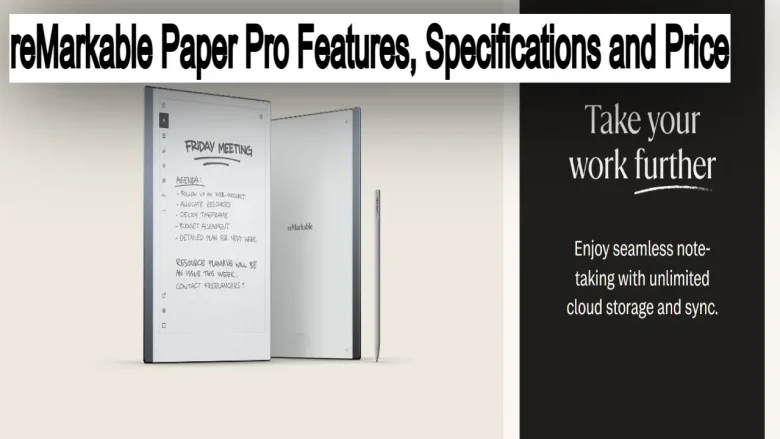
With the world becoming more paperless, a new tablet makes sense: A Paper Tablet, The reMarkable Paper Pro. Designed simply for note-taking, sketching, and reading – with none of the distractions or disturbances common to appsNotification and other applications ads.
Perfect for writers and artists alike or anyone who loves the simplicity of a pen-and-paper approach.
Today, we are talking about the new reMarkable Paper Pro: What it is, its features & price, and how it compares to iPad Pro / Onyx boox note pro on this blog post.
we have also covered, How Does it works, why do fans love these gadgets, and many more to know, check it now!
What is the reMarkable Paper Pro?
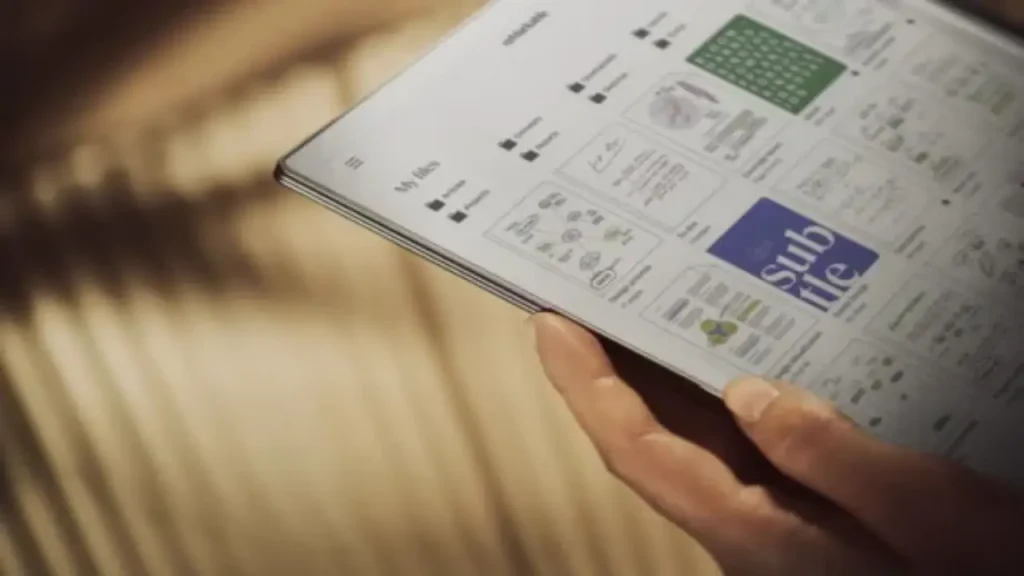
The result is a tablet that kind of feels like pen on paper, but it also has some great time-saving features that contrast hugely with traditional methods.
Not just a hybrid design; it boasts an ultra-responsive CANVAS e-ink display that gives the same natural feel and contrast you get with real paper.
A purpose-built, distractionless tablet as opposed to the omnifarious nature of general tablets.
Who Is It For?
- Best for Writers: You get a more traditional pen and paper feeling with this tablet and functionality you won’t have in digital notepads or strips.
- For artists: If you prefer to sketch or design, it offers excellent precision stylus support and a textured surface.
- Professionals: People who regularly attend meetings and take notes, as well as people in need of a distraction-free work tool, are sure to appreciate the reMarkable Paper Pro’s minimalist aesthetic.
reMarkable Paper Pro Primary Features
1. Paper-like Writing Experience
You write on that textured surface and the ultra-low latency makes it seem like you are writing with real pen on physical paper. A stylus called the Marker offers sketching, note-taking, and marking up documents with pinpoint control.
2. E-Ink CANVAS Display
The CANVAS display uses E-Ink technology, available in the second generation making the device glare-free and easy on your eyes keeping you relaxed for long hours of work or reading.
3. Handwriting Conversion
You’re able to convert your handwritten notes into typed text, helping you digitize your writing for professional or personal needs.
4. Cloud Syncing
All files and notes can be seamlessly synchronized to all other devices using Google Drive, Dropbox, or OneDrive services.
5. Minimalist Design
The reMarkable Paper Pro is designed for focus, with no apps or notifications to distract you: ideal if you are committed to deep work.
6. Battery Life
It has up to two weeks of battery life, so you can use it for longer periods without having to charge often.
7. Templates for Customization
Choose from a variety of templates, including lined paper, grids, checklists, and more, allowing you to personalize your workspace for journaling, note-taking, sketching, or planning.
8. Split-Screen Functionality
The split-screen feature allows you to view two documents or notes side by side, making it easier to reference information while taking notes or editing another file.
9. Advanced PDF and Document Annotation
The reMarkable Paper Pro allows you to import PDFs and documents to mark them up with ease, making it perfect for reviewing contracts, presentations, or academic materials.
10. Customizable Pens and Brushes
Choose from various pen types, thicknesses, and brush effects to give your writing or drawing a personalized touch, whether you’re sketching or note-taking.
11. Offline Mode
Even without an internet connection, you can continue working seamlessly and later sync your files once you’re back online.
12. Data Encryption for Security
Your notes and files are securely encrypted, ensuring that sensitive information stays private and protected when synced to the cloud.
13. Multi-Language Support
The handwriting recognition feature supports multiple languages, allowing you to convert notes into typed text in various languages effortlessly.
14. Lightweight and Portable
At just 403 grams (0.89 lbs) and 4.7mm thick, the reMarkable Paper Pro is incredibly portable, making it convenient to carry for meetings, travel, or working remotely.
reMarkable Paper Pro Specifications
- Display: 10.3-inch CANVAS display (1872 x 1404 resolution)
- Touchscreen: Multi-touch with stylus support
- Storage: 8 GB internal storage (up to 100,000 pages of notes)
- Battery Life: Up to 2 weeks
- Dimensions: 246 x 188 x 4.7 mm (9.65 x 7.4 x 0.18 inches)
- Weight: 403.5 grams (0.89 lbs)
- Processor: 1.2 GHz dual-core ARM processor
- RAM: 1 GB LPDDR3
- Connectivity: Wi-Fi (2.4GHz and 5GHz)
- File Compatibility: PDF, ePub, PNG, and more
Price of reMarkable Paper Pro
- reMarkable Paper Pro(Tablet Only): $399
- Marker Plus(Stylus with eraser): $79
- Folio Case(Leather or Polymer Weave): $99–$149
- With accessories, the total price can range from $399 to $599.
reMarkable Paper Pro Accessories To Add On
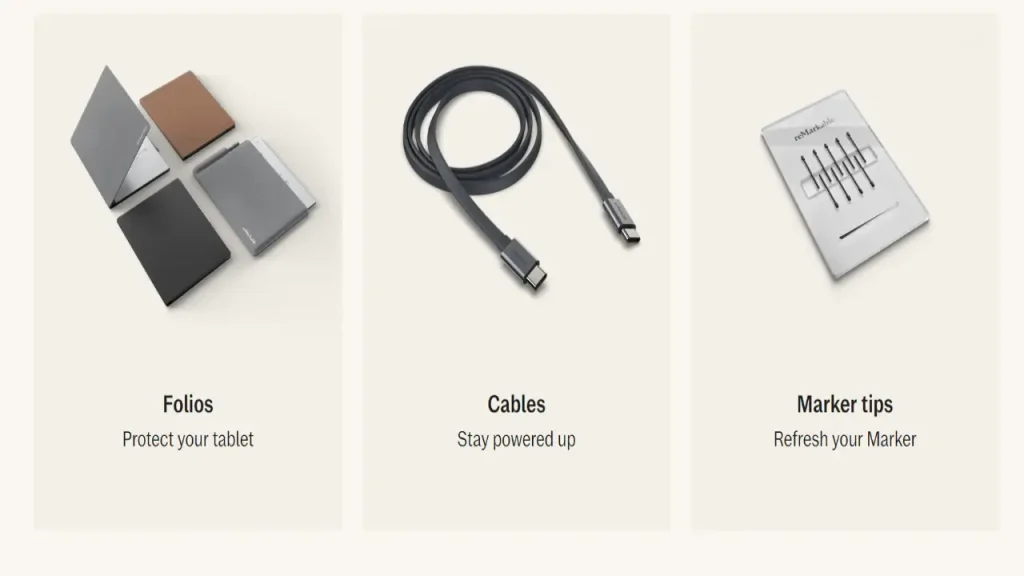
- Marker Plus: An advanced stylus with an eraser for ease of writing and editing. $79
- Tablet Folio Case: Sleek protection with a stand, in leather or polymer weave. $99–$149
- Screen Protector: Retains display clarity and safeguards against scratches.
- Charging Cable and Power Adapter: These are needed if you want to keep using your device, obviously.
- Soft Sleeve: This helps store your tablet and accessories.
- External storage solutions: More public clouds For backups
- Writing Templates and Notebooks: contains digital templates for various notes and creative prompts.
reMarkable Paper Pro Purchase Options
Where To Buy
- reMarkable Official: https://remarkable.com
Buy the latest warranty model with Deals.
- Amazon: https://www.amazon.com
No branding, but Quick Shipping and Amazon Feedback Check for discounts.
- Best Buy: https://www.bestbuy.com
Buy online and pick up in-store; offer price matching.
- B&H Photo Video: https://www.bhphotovideo.com
Great pricing and wonderful customer service
- Local Electronics Stores, e.g. Staples or Office Depot shopsorentario
Before You Buy
- Warranty and Returns: Be sure to read up on the warranty behind your purchase, as well as what it takes for you to return something if sold via Third party retailers.
- Cost of Shipping: Check out the shipping costs, as well as how long it will take to deliver from different retail choices.
- Discount Codes and Bundles: Check whether there are any current or upcoming discount codes, promotions, or bundles to get a price drop on your purchase.
- Accessories: Buy must-haves like the Marker Plus, folio case, or screen protector at launch and hit the ground running with your new setup
reMarkable Paper Pro Durability & Build Quality
Not only does the reMarkable Paper Pro have a clean design, but it has rugged construction as well. The device is a mixture of aluminum and top-quality plastic that makes the entire body feel lightweight yet sturdy.
The folio case (available in leather and polymer weave) adds protection, carrying your tablet to and from each day without a loss but retaining the ultra-thin profile that measures 0.187 inches everywhere it goes!
The screen also has a textured surface to give it an extra ‘bite’ not unlike pencil on paper and handles hours of heavy sketching or note-taking.
Then there is the Marker Plus stylus that fits into a nice sturdy grip, making it last longer without any saggy feel while giving you something solid to hold on to for hours of writing.
The build quality on the Paper Pro is solid, a good thing as this will be used daily by professionals and creatives.
Is The reMarkable Paper Pro Worth It?
Pros
- Paper-Like Feel: Writing and Drawing on the CANVAS e-ink display for that paper-like feel.
- No Apps: This one is focused on work so there are no distractions to hit you.
- Handwriting Conversion: Transforms your handwriting into text.
- Scalable: Durable design, lightweight and robust.
- Long Lasting Battery: Up to 2 weeks on a single charge.
Cons
- Limited Functionality: No app assist like iPad Pro.
- No Color Display: Can show only grayscale, not favorable to color tasks.
- Expensive: starts at $399 with additional accessory prices
- No Audio Support: No Playback or Recording
- File Compatibility: Only allowed for some file types.
Comparison: reMarkable Paper Pro vs iPad Pro vs Onyx Boox Note Pro
While the reMarkable Paper Pro shines for its unique, distraction-free focus and paper-like feel, it competes with powerful alternatives like the iPad Pro and the Onyx Boox Note Pro. Here’s how they stack up.
- Display: reMarkable’s E-Ink is better for writing and reading, while the iPad Pro’s Liquid Retina is best for vibrant media. Onyx Boox Note Pro sits between, offering an E-Ink screen with broader features.
- Writing Experience: The reMarkable excels with its paper-like writing feel. The iPad Pro’s Apple Pencil is fluid but lacks that tactile feedback. Onyx Boox Note Pro offers good precision but lacks the unique feel of reMarkable.
- Software: The iPad Pro dominates iPadOS and millions of apps for creativity and productivity. The Android-based Onyx Boox offers flexibility, while reMarkable focuses solely on note-taking and drawing.
- Battery Life: The reMarkable and Onyx Boox offer weeks of use, while the iPad Pro typically needs a recharge every 10 hours due to its high-performance features.
- Price: The reMarkable is the most affordable ($399 – $599), the iPad Pro is premium ($799+), and the Onyx Boox is mid-range ($599).
Conclusion: reMarkable Paper Pro
The reMarkable Paper Pro delivers a superb fusion of traditional paper and modern digital convenience.
Containing features from a handwriting conversion tool to the feel of writing on paper, it caters to users who need an environment free from distractions when scribbling away or soaking in knowledge.
At $399, it is a bit of an investment for the creatives and pros wanting that perfect blend of digital efficiency with analog nuances.
FAQs: reMarkable Paper Pro
The reMarkable Paper Pro is a digital tablet designed for paper-like writing and drawing experience using an ultra-responsive CANVAS e-ink display, focusing on note-taking and sketching without distractions.
The reMarkable Paper Pro offers a textured surface and low latency that closely mimics the feel of writing on real paper, providing a natural writing experience.
Yes, the reMarkable Paper Pro includes handwriting conversion features that allow you to turn handwritten notes into typed text.
The reMarkable Paper Pro supports various file formats including PDF, ePub, and PNG.
The device offers up to two weeks of battery life on a single charge, depending on usage.
Yes, you can sync files and notes across devices using cloud services like Google Drive, Dropbox, or OneDrive.
The reMarkable Paper Pro tablet starts at $399. Additional accessories like the Marker Plus stylus ($79) and Folio Case ($99–$149) can increase the total cost.
It is available on its official website, Amazon, Best Buy, B&H Photo Video, and local electronics stores.
You are reading this blog on haccker.
