

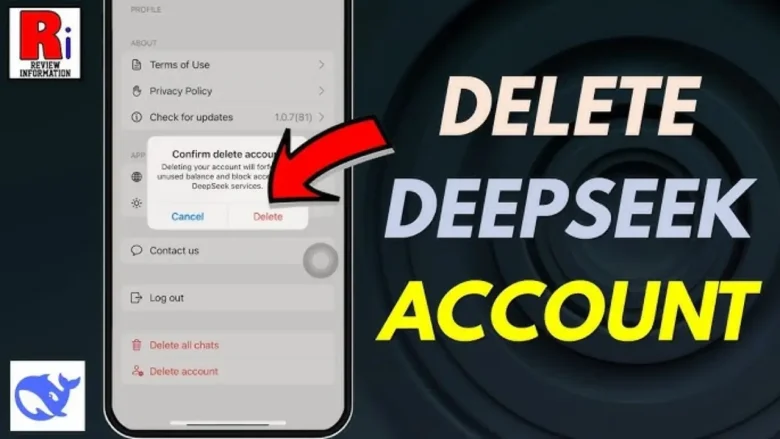
Are you looking to delete your DeepSeek account permanently? Whether you’re concerned about privacy, switching to another platform, or simply reducing your online presence, this guide will walk you through the steps to delete your DeepSeek account for good.
Things to Consider Before You Delete Your DeepSeek Account Permanently
Before proceeding with account deletion, keep these important points in mind:
- Permanent Data Loss – Deleting your account will erase all your data, including chat history, settings, and preferences. Make sure to back up any important information.
- Irreversible Action – Once deleted, you won’t be able to recover your account. If you plan to return, you’ll need to create a new account from scratch.
- Linked Accounts – If you signed up using Google, Apple, or another third-party service, ensure that you revoke any associated permissions after deleting your account.
How to Temporarily Disable Your DeepSeek Account
If you’re unsure about permanently deleting your DeepSeek account, you may want to temporarily disable it instead. While DeepSeek does not explicitly offer a deactivation feature, you can take the following steps to minimize your presence:
- Log out of all devices to prevent activity.
- Delete or clear your chat history for privacy.
- Revoke third-party permissions from services like Google or Apple.
- Unsubscribe from emails and notifications to reduce engagement.
This way, you can step away from DeepSeek without permanently deleting your account.
Steps to Delete Your DeepSeek Account Permanently
If you’re sure about deleting your DeepSeek account permanently, follow these detailed steps to ensure a smooth process.
1. Log into Your DeepSeek Account
Visit the DeepSeek website or open the DeepSeek app on your device.
Enter your login credentials (email and password) to access your account.
If you signed up using Google, Apple, or another third-party service, make sure you are logged in with the correct linked account.
2. Access Account Settings
Once logged in, click on your profile icon, usually located at the top-right corner of the page or screen.
From the dropdown menu, select “Settings” or “Account Settings” to access your account preferences.
3. Find the Delete Account Option
Navigate to the section labeled “Account Management” or “Privacy.”
Scroll down until you find the “Delete Account” option.
Some platforms may list it under Security Settings or Data & Privacy, so check carefully if you don’t see it immediately.
4. Confirm Deletion Request
Click on “Delete Account.”
DeepSeek may prompt you to confirm your decision. You may also need to enter your password again for security verification.
Some platforms ask for a reason for account deletion—you can choose an option from the list or type your reason manually.
After submitting your request, you might receive a final confirmation email or SMS. Open the message and click the confirmation link (if required) to proceed.
Once you confirm, your account will be processed for deletion.
Guide To Delete Your DeepSeek Account Permanently
Alternative Method: Contacting DeepSeek Support
If you’re unable to delete your account through settings, you can contact DeepSeek support for assistance.
- For general inquiries, email service@deepseek.com
- For API-related issues, email api-service@deepseek.com
Make sure to include your account details and request permanent deletion in your email.
Alternative AI Platforms to Consider
If you’re leaving DeepSeek but still need an AI chatbot, several great alternatives are available:
- ChatGPT (OpenAI) – Known for advanced conversational AI, creative writing, and coding assistance.
- Claude (Anthropic) – Focuses on safe, informative, and reliable AI-generated content.
- Gemini (Google) – Integrates well with Google services for AI-driven assistance.
- Perplexity AI – Provides AI-powered search with detailed citations and research-based answers.
- Microsoft Copilot (Bing AI) – Offers AI-driven search and productivity tools for work and personal use.
Each of these AI platforms has unique features, so explore them to find the best fit for your needs.
Legal Considerations and Data Retention Policies
DeepSeek follows data protection laws like GDPR (General Data Protection Regulation) and CCPA (California Consumer Privacy Act) where applicable. Here’s what you need to know:
- Data Deletion Timeline – After requesting deletion, your data may not be removed immediately. Some platforms take days or weeks to process such requests.
- Retention of Certain Data – DeepSeek may still retain some of your information for legal, security, or compliance reasons.
- Privacy Policy – For the latest updates on data handling, check DeepSeek’s Privacy Policy at DeepSeek Privacy Policy.
Conclusion
Deleting your DeepSeek account is a straightforward process, but it’s essential to understand the consequences before proceeding. If you’re certain about your decision, follow the steps above or reach out to DeepSeek’s support team for assistance. If you just want to take a break, consider temporarily disabling your account instead.
You May Also Like
What Are the Key Features of DeepSeek AI?
How To Delete an Account on an Airchat App?
How to Delete an Account on the Poly.ai App?
FAQs
1. Can I recover my DeepSeek account after I delete it permanently?
No, once deleted, your DeepSeek account cannot be recovered. You will need to create a new account if you wish to return.
2. How long does it take to delete my DeepSeek account permanently?
DeepSeek does not specify an exact timeframe, but account deletion may take several days or weeks to process fully.
3. What happens to my data after I delete my DeepSeek account permanently?
According to DeepSeek’s privacy policy, your personal data is permanently deleted. However, some information may be retained for legal purposes.
4. Can I delete my DeepSeek account permanently through the mobile app?
Yes, you can delete your DeepSeek account permanently through the app by navigating to Settings > Account Management > Delete Account and following the on-screen instructions.
5. Will deleting my DeepSeek account also remove my linked accounts?
No, deleting your DeepSeek account does not automatically revoke permissions from Google, Apple, or other linked services. You should manually remove DeepSeek’s access from your third-party accounts.
6. Can I create a new DeepSeek account after deletion?
Yes, but you will need to sign up with a new email address, as your previous data cannot be recovered.
You are reading this blog on iNFo Hacker.
