

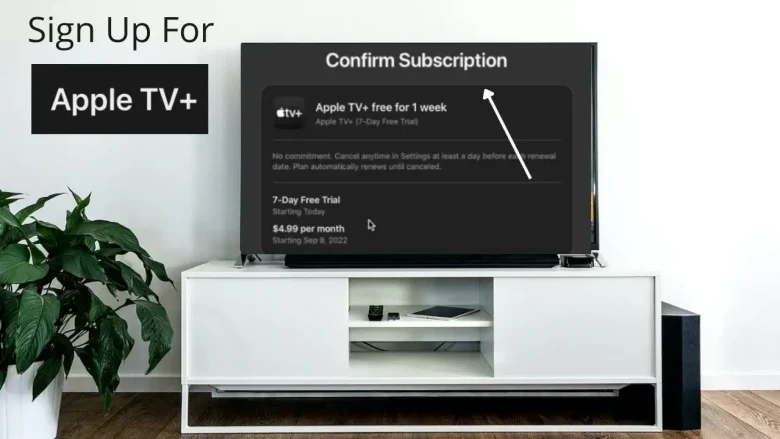
Apple TV Plus is Apple’s own streaming service that offers a wide range of original content, including movies, documentaries, TV shows, and exclusive releases. If you’ve been thinking about signing up for Apple TV Plus to access the service’s high-quality content, you’re in the right place! In this guide, we’ll walk you through every step of the sign-up process, how to explore Apple TV Plus, and tips for making the most of your subscription.
What is Apple TV Plus?
Apple TV Plus is a streaming platform developed by Apple, offering exclusive content you won’t find anywhere else. From critically acclaimed shows like Ted Lasso and The Morning Show to award-winning films like Greyhound and Palmer, Apple TV Plus has quickly built a solid reputation in the entertainment world. The service is available on multiple devices, including Apple devices, smart TVs, streaming boxes, and gaming consoles.
With a subscription to Apple TV Plus, you get access to an expanding library of exclusive shows, movies, and documentaries, with the added benefit of being able to watch them across your favorite devices.
Why Should You Sign Up for Apple TV Plus?
Before diving into how to sign up, it’s worth noting some of the benefits of subscribing to Apple TV Plus:
- Exclusive Content: Apple TV Plus features exclusive movies, TV series, documentaries, and more. Some titles are produced by high-profile names in Hollywood, offering cinematic experiences you can’t find elsewhere.
- Affordable Subscription: Apple TV Plus offers competitive pricing compared to other streaming services like Netflix or Disney+. With an affordable monthly subscription fee, you get high-quality content without breaking the bank.
- Family Sharing: With Apple TV Plus, you can share your subscription with family members at no extra cost. You can create an Apple Family Sharing group to enjoy the content together.
- No Ads: Apple TV Plus is ad-free, so you can enjoy uninterrupted streaming.
Steps To Sign Up for Apple TV Plus

Follow the given steps to sign up for Apple TV Plus:
Step 1: Prepare Your Apple ID
To sign up for Apple TV Plus, you’ll need an Apple ID. If you don’t already have one, you can create it easily by following these steps:
- Go to the Apple ID website (appleid.apple.com).
- Click on Create Your Apple ID.
- Follow the prompts to set up your ID by entering your name, email address, and password.
- Verify your email address and complete the security questions for your account.
An Apple ID is essential for accessing all Apple services, including Apple TV Plus. Once you’ve set up your Apple ID, you’re ready to sign up for the streaming service.
Step 2: Download the Apple TV App
If you’re using an Apple device (iPhone, iPad, Apple TV, or Mac), the Apple TV app is likely already installed on your device. However, if you’re using a non-Apple device, you’ll need to download the app.
- On an iPhone or iPad: Go to the App Store and search for the “Apple TV” app. Download and install it.
- On a Smart TV: Search for the Apple TV app in your TV’s app store (available on most smart TVs such as Samsung, LG, and Vizio).
- On a Streaming Box: The Apple TV app is available for download on devices like Roku, Amazon Fire TV, and Google TV. Simply visit your device’s app store to install it.
- On a Web Browser: You can also access Apple TV Plus through a web browser by visiting tv.apple.com.
Once you have the app installed, open it and make sure you’re logged in with your Apple ID.
Step 3: Choose Your Plan
Apple TV Plus offers a straightforward subscription model. You’ll be prompted to choose one of the following options:
- Free Trial: New subscribers can get a 7-day free trial to explore the content on Apple TV Plus. During the trial, you can enjoy unlimited access to all shows and movies.
- Paid Subscription: After the trial ends, you can continue your subscription by paying a monthly fee. As of now, the standard fee is $9.99 per month.
Apple also offers special promotions for certain Apple product purchases. For example, if you buy a new iPhone, iPad, Apple TV, or Mac, you may be eligible for a one-year free trial of Apple TV Plus. This promotion allows you to enjoy all the content for free for 12 months, after which you’ll be charged the regular subscription fee unless you cancel.
Step 4: Start Watching
Once you’ve signed up for Apple TV Plus and selected your plan, you’ll be able to start exploring the content library. The Apple TV Plus interface is user-friendly, making it easy to browse and discover new shows and movies.
To begin watching, simply click on a title that interests you, and you can start streaming instantly. You can watch on-demand or choose from various episodes in a series. If you’re looking for something specific, the app includes a search feature to help you find your desired content.
Step 5: Customize Your Experience
Apple TV Plus also allows you to personalize your viewing experience:
- Create Watchlists: As you browse the Apple TV Plus library, you can add content to your watchlist for easy access later.
- Recommendations: Apple TV Plus will recommend shows and movies based on your viewing history, so you can always find something new to watch.
- Parental Controls: If you have kids, you can set up parental controls to restrict content based on ratings, ensuring that age-appropriate material is shown.
Other Ways to Sign Up for Apple TV Plus
If you prefer not to sign up through the Apple TV app directly, you can also subscribe to Apple TV Plus via:
- Apple’s Website: Go to tv.apple.com and sign up using your Apple ID.
- Third-Party Platforms: Apple TV Plus can also be accessed through other platforms like Amazon Prime Video and Roku, where you can subscribe and manage your plan.
How to Cancel Your Apple TV Plus Subscription
If you decide to cancel your subscription to Apple TV Plus, follow these simple steps:
- Open the Settings app on your Apple device.
- Tap [Your Name] > Subscriptions.
- Select Apple TV Plus from the list of active subscriptions.
- Tap Cancel Subscription.
After cancellation, you’ll continue to have access to Apple TV Plus until the end of your billing cycle.
Benefits You Will Get After Apple TV Plus Sign-Up
After you’ve signed up for Apple TV Plus, you’ll enjoy many benefits, such as:
- Wide Device Compatibility: Apple TV Plus works on a range of devices, including Apple TVs, iPhones, iPads, Macs, smart TVs, and streaming boxes.
- Ad-Free Viewing: With no ads interrupting your shows or movies, you can enjoy uninterrupted entertainment.
- Offline Viewing: Apple TV Plus allows you to download shows and movies for offline viewing on supported devices.
Conclusion
Its so simple to sign up for Apple TV Plus, and with a free trial or special promotions for Apple product owners, it’s a great value for those who want access to exclusive content. Whether you’re a fan of drama, comedy, or documentaries, Apple TV Plus offers a range of high-quality shows and movies to suit your preferences.
Now that you know how to sign up and get started with Apple TV Plus, it’s time to explore the exciting content waiting for you. So, grab some popcorn, make yourself comfortable, and enjoy the world of Apple TV Plus!
You May Also Like
How to Activate Paramount Plus
FAQs
1. Is there a free trial for Apple TV Plus?
Yes, Apple offers a 7-day free trial for new subscribers. Additionally, Apple product purchasers may be eligible for a one-year free trial.
2. Can I share my Apple TV Plus subscription with my family?
Yes, Apple TV Plus supports Family Sharing, so you can share your subscription with up to six family members.
3. How much does Apple TV Plus cost?
The subscription costs $9.99 per month after the free trial period ends. Apple also offers discounts with certain Apple product purchases.
4. Can I watch Apple TV Plus content offline?
Yes, Apple TV Plus allows you to download content on supported devices for offline viewing.
5. Can I cancel my Apple TV Plus subscription anytime?
Yes, you can cancel your subscription at any time through the settings on your Apple device or the Apple website.
You are reading this blog on iNFo Hacker
