


Instagram has just launched a cool new Add Music In Instagram Bio feature that lets you add a song to your profile, bringing a bit of MySpace nostalgia to the app.
While the song won’t play automatically like it used to on MySpace, it’s a fun way to show off your favorite tunes and add a personal touch to your profile.
By the way, if you’re wondering whether you can hide who you follow on Instagram, that’s something you might want to check out too.
How Does Instagram Add Music In Bio Feature Work?
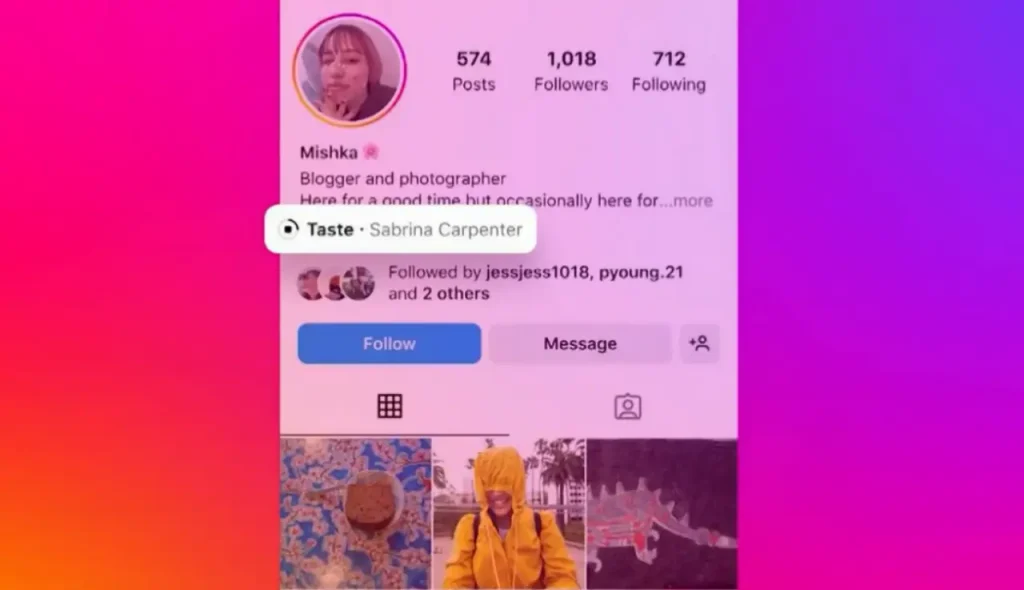
Now, you can add a song to the bio section of your Instagram profile. Once you pick a track, it will stay there until you decide to change or remove it.
Unlike MySpace, the music won’t start playing automatically. Instead, visitors to your profile can choose to play or pause the song whenever they like.
The Add Music to Instagram Bio feature is only available on Android and iPhone, not on computers. Choose your device to find out more about it.
Sabrina Carpenter’s Special Launch With Add Music In Instagram Bio Feature
Instagram is launching this feature with pop star Sabrina Carpenter. Her profile will feature an exclusive preview of her new song, “Taste,” from her upcoming album.
This preview will only be available through Instagram’s new profile music feature until the full album is released.
Fun Extras With Add Music To Instagram Bio Feature
Along with the music feature, Instagram adds some special touches related to Carpenter’s album, Short n’ Sweet.
For example, typing keywords like “Sabrina” or using the coffee cup emoji will turn temporary Notes messages light blue. There’s also a Carpenter-themed chat feature with lipstick kisses.
This new feature adds a personal touch to your Instagram profile and makes sharing your favorite music with your followers easier.
Steps To Add Music In Instagram Bio
Instagram now lets you add a 30-second music clip to your bio, giving it a fun, nostalgic twist. Here’s how to do it:
Step 1: Update Your App
Make sure that your Instagram App is up to date. You’ll need the latest version to access this feature.
Step 2: Go to Your Profile
Open your Instagram profile and tap Edit Profile. This is where you can make changes to your profile settings.
Step 3: Add Music
Scroll down until you see Add Music. Tap the plus icon next to it to start choosing your song.
Step 4: Choose a Song
Browse the music options and pick a song you like. For example, you might select Flute Tune. Find a track that fits your vibe or mood.
Step 5: Save Your Song
After picking your song, hit the pick icon to save it and set it on your profile.
Your Instagram Bio will now show the music that you add to it! And don’t worry—when you visit other profiles, their music won’t play automatically, so you can browse without interruptions.
Best Music To Add To Instagram Bio In 2024
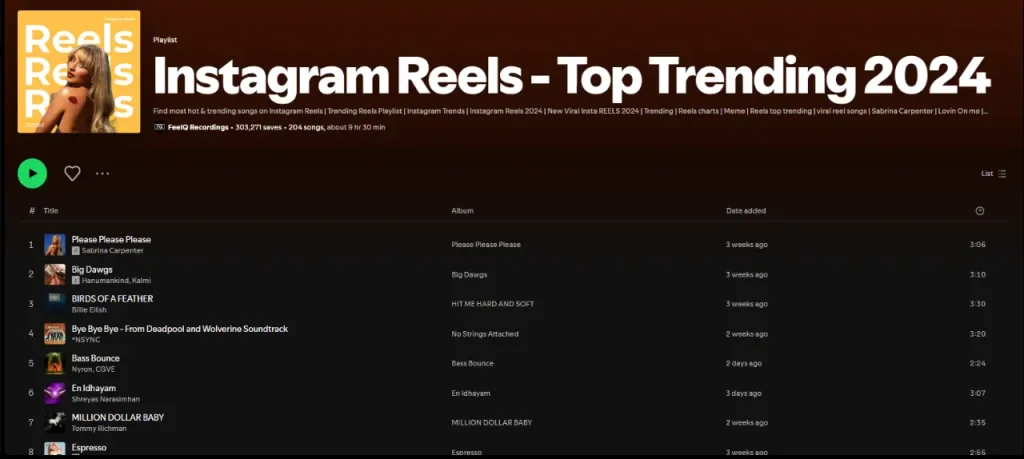
Here are 7 cool songs to add to your Instagram profile:
1. Blinding Lights by The Weeknd
2. Levitating by Dua Lipa featuring DaBaby
3. Peaches by Justin Bieber featuring Daniel Caesar & Giveon
4. Good 4 U by Olivia Rodrigo
5. Watermelon Sugar by Harry Styles
6. Heat Waves by Glass Animals
7. Dynamite by BTS
With these easy steps and great song choices, you can show off your style and vibe on Instagram. Whether you’re into pop, hip-hop, or something else, adding a song to your profile is a fun way to share your music taste and keep your followers entertained.
Video Guide To Add Music to Instagram Bio
Thoughts on Adding Music To IG Profile Reddit
Conclusion
The Add Music to your Instagram Bio feature is a great way to show off your personality and share your favorite songs with your followers.
Pick a track that speaks to you, and it’ll make your profile stand out and feel more engaging. This feature is available on Android and iPhone, so use one of these devices to add your song.
Additionally, If you don’t see the option, make sure your app is updated to the latest version. The feature might be rolling out gradually, so it may take some time to show up for everyone.
If it’s still missing, try restarting the app or contact Instagram support for assistance.
Enjoyed this blog? Give it a like and share it with your friends then. If you’ve got more questions or want to share your top tracks, drop a comment below—I’d love to hear from you!
FAQs
To add music, open the Instagram app on your Android or iPhone, go to your profile, and tap “Edit Profile”. Look for the “Add Music” option, pick a song from the library, and decide how you want it to appear. Save your changes, and your chosen song will be part of your bio.
Unfortunately, no. The music feature is only available on the Instagram app for Android and iPhone, not on the website.
Not at all. You don’t need any external music accounts. Instagram provides its music library for you to choose from when adding a song to your profile.
No, the song won’t play automatically when someone visits your profile. It’s there for people to see and click on if they’re interested in listening.
You are reading this blog on haccker.
