

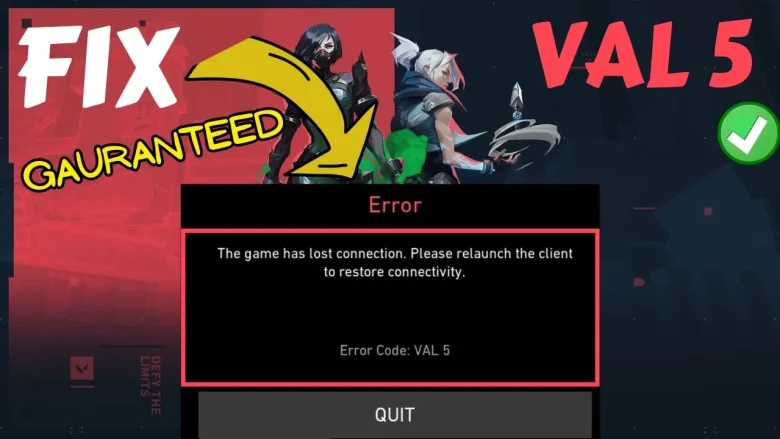
If you’re a Valorant player, you’ve likely encountered error codes that interrupt your gameplay. Among these, error code VAL 5 is notorious for frustrating players. This error typically signals issues with your connection to Riot Games’ servers, often linked to server outages, Riot account problems, or temporary suspensions. Let’s dive into what causes this issue and how to fix Valorant error code VAL 5 efficiently.
What is Valorant Error Code VAL 5?
Error code VAL 5 in Valorant indicates a connection issue between your game client and Riot Games’ servers. It often appears due to server outages, account restrictions (like bans), or connectivity problems. This error prevents you from accessing the game and may require troubleshooting steps, such as checking the server status or fixing network issues, to resolve.
What Causes Valorant Error Code VAL 5 To Fix?
Error code VAL 5 usually stems from:
- Riot Server Outages: When Riot’s servers are down for maintenance or experiencing issues.
- Account Restrictions: A ban or temporary suspension on your Riot account.
- Connectivity Problems: Network issues between your system and Riot’s servers.
- Riot Client Errors: corrupted or outdated files in the Riot Client or Vanguard.
Steps to Fix Valorant Error Code VAL 5
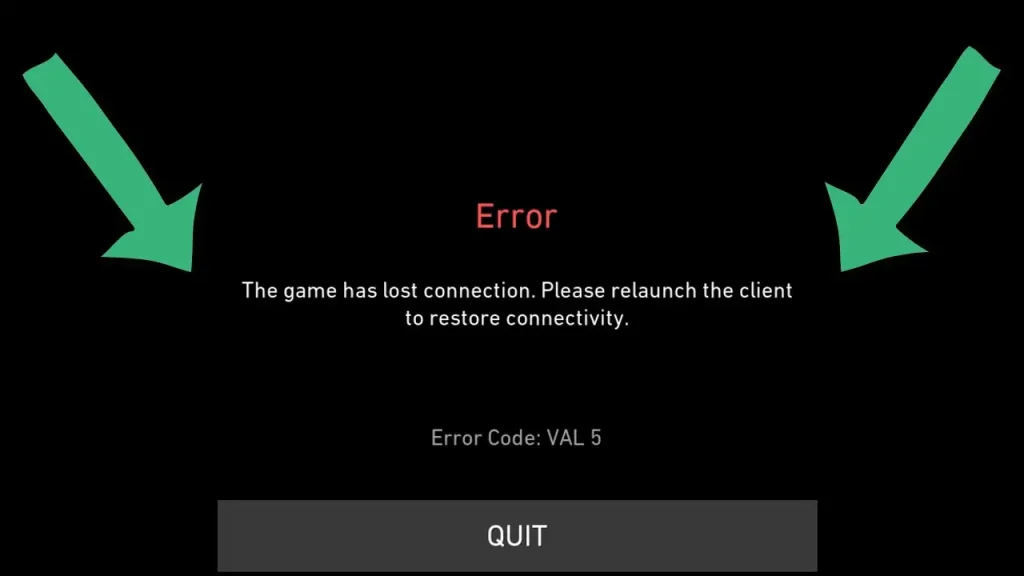
Follow the listed steps to fix Valorant error code VAL 5:
1. Verify Riot Server Status
Before troubleshooting locally, confirm if Riot’s servers are functioning.
- Visit Riot’s Server Status page.
- Check for outages in your region. If servers are down, there’s little you can do but wait.
2. Log Out and Log Back In
A simple re-login to your Riot account can refresh the connection.
- Exit Valorant completely.
- Open the Riot Client and log out of your account.
- Log back in and try launching Valorant.
3. Check for Account Issues to Fix Valorant Error Code VAL 5
If you suspect a restriction on your account:
- Visit the Riot Games Player Support page.
- Log in to check if your account has been temporarily banned or flagged for violations.
4. Restart Your System and Riot Client
Minor glitches with the Riot Client or Vanguard can cause VAL 5. A restart often resolves this.
- Close Valorant and the Riot Client entirely.
- Restart your computer.
- Relaunch the game and see if the issue persists.
5. Fix Potential Connectivity Issues
Ensure your internet connection is stable and free of restrictions.
- Restart your router to refresh the network.
- Switch to a wired connection for better stability.
- Disable any VPNs or proxies that may interfere with the Riot servers.
6. Repair Riot Vanguard
Riot Vanguard, the anti-cheat system, can sometimes cause VAL 5 errors.
- Open the Control Panel on your PC.
- Go to Programs and Features and uninstall Riot Vanguard.
- Restart your computer.
- Launch Valorant, and Vanguard will reinstall automatically.
7. Flush Your DNS Cache
Clearing your DNS cache can help resolve connectivity issues.
- Press Win + R, type cmd, and press Enter.
- In the command prompt, type:
ipconfig /flushdns - Press Enter and restart your system.
8. Reinstall Valorant and Riot Client
If all else fails, reinstalling the game and client might resolve the issue.
- Uninstall Valorant and the Riot Client from your PC.
- Download the latest installer from the official Valorant website.
- Reinstall and check if the issue is resolved.
Additional Steps To Fix Valorant Error Code VAL 5
Here are the additional steps to fix Valorant error code VAL 5:
- Check Firewall and Antivirus Settings:
Sometimes, firewall or antivirus software blocks Riot’s processes. Ensure Valorant and Riot Client are added to the exceptions list.
- Go to your antivirus software settings.
- Add Valorant.exe and RiotClientServices.exe as exceptions.
- Disable your antivirus temporarily (only for testing purposes) to check if it resolves the issue.
- Update Your Network Drivers:
Outdated network drivers can cause connectivity problems.
- Open Device Manager on your PC.
- Expand the Network Adapters section.
- Right-click your network adapter and select Update driver.
How to Prevent Valorant Error Code VAL 5 in the Future
To avoid future disruptions, here are a few tips:
- Keep Riot Client and Vanguard Updated: Regular updates prevent compatibility issues and bugs.
- Check Riot Server Status: Always verify server health before playing.
- Optimise Your Internet: Use a wired connection and avoid heavy background usage.
- Avoid VPNs: Disable VPNs or proxies to prevent connection interference.
- Maintain a Clean Installation: Regularly clear caches or reinstall the Riot Client to avoid corrupted files.
Impact of Valorant Error Code VAL 5 on Gameplay If We Do Not Fix
The error can significantly disrupt your experience in the following ways:
- Disrupted Matches: Getting disconnected mid-game can affect your performance and teamwork.
- Lost Rewards and Progress: Errors may cause you to miss out on match rewards or ranking points.
- Competitive Setbacks: VAL 5 can result in forfeited matches and lost rankings, especially in competitive play.
- Increased Frustration: Frequent errors lead to downtime and reduced enjoyment.
- Riot Support Overload: Regular issues may cause delays in support responses and add to frustration.
Conclusion
Error code VAL 5 can be a frustrating roadblock in Valorant, but with the steps above to fix, you’re likely to get back in the game quickly. Always ensure your Riot Client and Vanguard are updated, and keep an eye on server status during peak times. If the error persists, Riot Support is your best ally!
You May Also Like
How to Fix Valorant Error Code 81
How to Fix Valorant Crashing on Windows
FAQs
1. What is Riot Vanguard, and how does it affect VAL 5?
Riot Vanguard is the anti-cheat system for Valorant. Sometimes, it can cause error code VAL 5 if it’s corrupted or outdated, preventing you from connecting to the game. Ensuring Vanguard is properly installed or reinstalling it can help fix this error.
2. How do I know if my account is banned or suspended?
If your account is banned or suspended, you’ll typically receive an email from Riot Games with details about the restriction. You can also check your account status by logging into the Riot Games Player Support page to see if any restrictions apply to your account.
3. Can using a VPN cause VAL 5?
Yes, using a VPN can interfere with your connection to Riot’s servers and cause error code VAL 5. Riot recommends disabling VPNs and proxies to avoid connectivity issues while playing Valorant.
4. What should I do if the issue persists after trying all the fixes?
If error code VAL 5 continues despite following the troubleshooting steps, it’s best to contact Riot Support. Provide them with details of the issue, and they can assist in diagnosing whether there’s a deeper issue with your account or system.
5. Can I play Valorant while Riot servers are down?
No, you cannot play Valorant while Riot’s servers are down for maintenance or facing outages. You’ll need to wait for Riot to resolve the issue. You can check the Riot Server Status page to see if there’s an ongoing outage in your region.
You are reading this blog on iNFo Hacker.
