

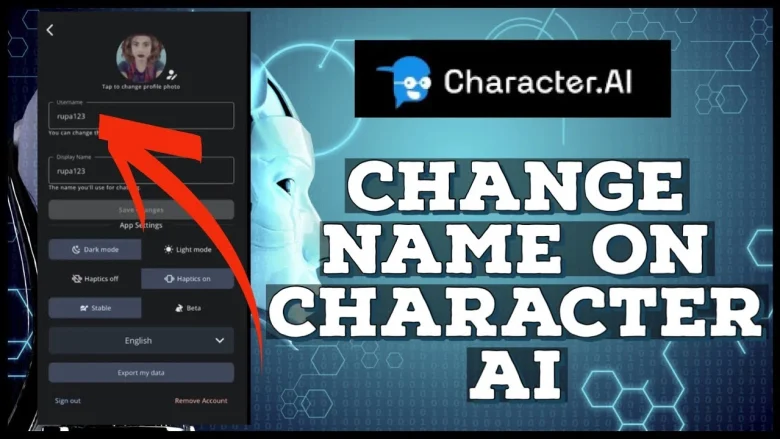
Character.AI is a wide-used virtual space for people to interact with AI-powered characters. In general, the process of changing one’s name on the site isn’t complicated; however, glitches may occur sometimes. In that respect, this tutorial will walk you through the steps involved in how to change your name in Character.AI, and try to provide a solution for the most common problems one might experience.
Steps for How to Change Your Name in Character.AI?

Here are the steps on how to change your name in Character.AI:
1. Access Your Profile
To begin changing your name in Character.AI, follow these initial steps:
- Open the Character.AI website or app.
- Log in to your account if you haven’t already done so.
- Navigate to your profile by clicking on your account icon in the top right corner of the screen12.
2. Enter Edit Mode
Once you’ve accessed your profile, you’re ready to make changes:
- Look for the pencil icon or edit button near your current name1.
- Click on this icon to enter edit mode.
3. Update Your Name
Now you can input your new name:
- You’ll see a field labeled “Name” where you can enter your desired new name12.
- Ensure your new name meets the platform’s requirements:
- It must be between 3 to 20 characters long.
- It can contain only letters, numbers, underscores, dashes, and spaces1.
4. Save Your Changes
After entering your new name, it’s crucial to save your changes:
- Scroll down to find the “Update” or “Save Changes” button16.
- Click this button to confirm your new name.
5. Verify the Change
To ensure your name change has been successfully applied:
- Return to the main Character.AI interface.
- Start a new chat or conversation.
- Your new name should now appear in the chat interface2.
Display Name vs. Username
It’s important to note that Character.AI distinguishes between your display name and username:
- Display Name: This is the name that appears in chats and can be changed easily5.
- Username: This is used for login purposes and may have different change procedures1.
Frequency of Changes
While you can change your name in Character.AI as often as you like, frequent changes may confuse other users you interact with. Consider updating your name sparingly to maintain consistency in your interactions.
How to Fix Issues While Trying How to Change Your Name in Character.AI?
If you’re encountering problems while attempting to change your name in Character.AI, try these solutions:
1. Clear browser cache: Old cached data can sometimes interfere with website functionality. Clear your browser’s cache and try again.
2. Use a different browser: If the issue persists, try using a different web browser to access Character.AI.
3. Check name requirements: Ensure your new name meets the platform’s requirements. It should be between 3 to 20 characters long and contain only letters, numbers, underscores, dashes, and spaces.
4. Restart the application: If you’re using the Character.AI app, close it completely and relaunch it before attempting to change your name again.
5. Check internet connection: A stable internet connection is crucial. If you’re experiencing connectivity issues, try resetting your router or connecting to a different network.
6. Wait and try again: If the platform is experiencing high traffic or temporary glitches, wait for a short period and attempt the name change later.
7. Contact support: If none of the above solutions work, reach out to Character.AI’s support team for assistance. They may be able to help with account-specific issues.
Conclusion
Changing the name in Character.AI is a pretty easy thing; it will take you no more than a few minutes. You can easily change your profile by just following a few simple steps. Note that you can change display names pretty frequently, but the restriction for usernames might be different. Be sure you are comfortable with the name you choose, as you will be represented by it to all other users and AI characters on the platform.
FAQs
You can change your display name in Character.AI as often as you like. However, it’s recommended to do so sparingly to avoid confusing other users you interact with regularly.
Yes, once you change your name, it will be updated in all your conversations, including past ones. Other users will see your new name in both old and new chats.
Yes, there is a difference. Your name is your display name that appears in chats and can be changed easily. Your username, used for login purposes, may have different change procedures and restrictions.
Generally, no additional verification is required to change your display name in Character.AI. However, if you’re attempting to change your username, there might be additional steps or restrictions.
No, changing your user profile name does not affect the names or behaviors of any AI characters you’ve created or interact with. Your characters will remain unchanged.
