

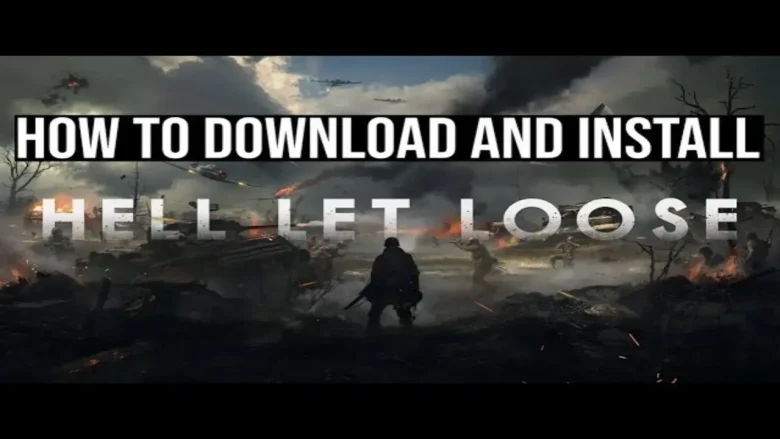
If you’re a fan of tactical first-person shooters and World War II-era gameplay, Hell Let Loose is a game you don’t want to miss. Known for its intense battles, strategic gameplay, and immersive graphics, this multiplayer shooter promises an unparalleled gaming experience. But before you can dive into the battlefield, you’ll need to get the game up and running. Here’s how to download and install Hell Let Loose on your device.
What Hell Let Loose Is All About
Hell Let Loose is a World War II-inspired tactical first-person shooter that emphasizes teamwork, communication, and strategy. Players can choose between roles such as infantry, armor, or commander, working together to secure objectives and achieve victory. With large-scale battles of up to 100 players, realistic environments, and immersive mechanics, the game offers an authentic and intense war experience.
Why Play Hell Let Loose?
- Realism at Its Finest: The game combines realistic weaponry, vehicles, and historically accurate maps to recreate the chaos of World War II battles.
- Team-Based Gameplay: Communication and coordination are key, making it a perfect choice for gamers who enjoy teamwork.
- Dynamic Battles: Each match unfolds differently, ensuring replayability and keeping the experience fresh.
- Strategic Depth: From managing resources to planning attacks, Hell Let Loose caters to players who love thinking on their feet.
Platforms Hell Let Loose Is Available On
Hell Let Loose is available on multiple platforms:
- PC: Available on Steam for PC players. Make sure your system meets the minimum requirements for smooth gameplay.
- PlayStation: Playable on PS4 and PS5, with enhanced performance on PS5.
- Xbox: Available on Xbox One and Xbox Series X|S, with better graphics and load times on Series X|S.
Ensure platform compatibility to enjoy the best experience!
How to Download and Install Hell Let Loose

Follow the steps to download and install Hell Let Loose:
Step 1: Check System Requirements
Before download and install Hell Let Loose, ensure your device can handle it. Here’s a quick look at the minimum and recommended system requirements for PC:
Minimum Requirements:
- OS: Windows 10 (64-bit)
- Processor: Intel Core i5-6600K or AMD Ryzen 3 1300X
- Memory: 8 GB RAM
- Graphics: NVIDIA GTX 960 4GB or AMD Radeon R9 380 4GB
- DirectX: Version 11
- Storage: 30 GB available space
Recommended Requirements:
- OS: Windows 10 (64-bit)
- Processor: Intel Core i7-8700 or AMD Ryzen 5 3600
- Memory: 16 GB RAM
- Graphics: NVIDIA GTX 1070 8GB or AMD RX Vega 56 8GB
- DirectX: Version 11
- Storage: 30 GB available space
Step 2: Choose Your Platform
Hell Let Loose is available on multiple platforms, including Steam (PC), PlayStation, and Xbox. Select your preferred platform for downloading the game.
For PC:
- Open the Steam application. (If you don’t have Steam installed, download it here.)
- Log in to your Steam account or create one if you’re new.
- Use the search bar to find “Hell Let Loose.”
For Console (PlayStation/Xbox):
- Go to the PlayStation Store or Xbox Store on your console.
- Search for “Hell Let Loose.”
Step 3: Purchase or Subscribe to Download and Install Hell Let Loose
On Steam:
- Once you locate the game, click on Add to Cart.
- Complete the purchase process by entering your payment details.
On PlayStation/Xbox:
- Select the game from the store.
- If it’s part of a subscription service like Xbox Game Pass or PlayStation Plus, you may download it without an additional purchase. Otherwise, proceed to buy the game.
Step 4: Download the Game
After the purchase or subscription, the game will be added to your Library.
For Steam (PC):
- Go to your Library in the Steam application.
- Select Hell Let Loose and click on Install.
- Choose the destination folder and confirm.
For PlayStation/Xbox:
- Navigate to your Library or My Games & Apps.
- Find Hell Let Loose and select Download.
Step 5: After You Download Hell Let Loose, Next Up Is Install and Update
The installation process will start automatically after the download. Be patient; depending on your internet speed, this might take some time. Once installed, launch the game to check for any updates. Download and install updates to ensure you’re running the latest version.
Step 6: Configure Settings and Start Playing
Before jumping into a match, take a moment to tweak your game settings:
- Adjust graphics settings to match your hardware for smooth performance.
- Customize controls to suit your play style.
- Explore the tutorial mode if you’re new to Hell Let Loose.
By following these steps properly you can download and install Hell Let Loose without any hassle.
Can We Download and Install Hell Let Loose for Free?
Hell Let Loose is a premium game, typically requiring purchase on platforms like Steam, PlayStation, and Xbox. However, there are ways to access it for free:
- Subscription Services: It may be included in services like Xbox Game Pass or PlayStation Plus, allowing you to play without additional cost if you’re subscribed.
- Promotions and Sales: Keep an eye out for discounts or seasonal sales where the game might be offered at a reduced price or even for free.
- Free Trial Periods: Occasionally, the game may be available for free during special promotions or events, giving you a chance to play without purchasing.
So while it’s not free by default, there are opportunities to download and play Hell Let Loose without paying full price.
Conclusion
And there you have it! Download and install Hell Let Loose because it is so straightforward, whether you’re on PC, PlayStation, or Xbox. Once you’re set up, prepare for some intense battles, strategic gameplay, and teamwork unlike anything you’ve experienced. See you on the battlefield, soldier!
You May Also Like
How To Download and Play Black Ops 6 on PC
How To Download Netflix App For Mac
FAQs
1. Is Hell Let Loose Multiplayer Only?
Yes, Hell Let Loose is primarily a multiplayer game. It focuses on large-scale online battles with up to 100 players per match. There are no single-player campaigns, though the game’s realism and teamwork elements make it a thrilling experience for those who enjoy cooperative and competitive multiplayer gameplay.
2. Can I Play Hell Let Loose Offline?
Unfortunately, Hell Let Loose does not offer an offline mode. You’ll need an internet connection to play the game, as it’s designed to deliver large-scale, multiplayer battles that rely on other players for a full experience.
3. How Many Players Can Participate in a Match?
Each match in Hell Let Loose can support up to 100 players, divided into two teams of 50. This large-scale combat, combined with different roles such as infantry, tanks, and commanders, creates a unique and intense experience with every battle.
4. Does Hell Let Loose Support Modding?
At this time, Hell Let Loose does not officially support modding. The developers have focused on maintaining the core experience of the game without external modifications. However, they continue to update the game with new content and features, ensuring the game remains fresh and engaging.
5. What Are the Different Roles I Can Play in Hell Let Loose?
Hell Let Loose offers various roles such as infantry, commander, and armor. Each role has unique responsibilities and weapons, making teamwork essential for success. Whether you’re leading troops, supporting with artillery, or providing reconnaissance, every role contributes to the overall mission.
You are reading this blog on iNFo Hacker.
