


In the ever-evolving world of content creation, Viggle AI has emerged as a game-changer. This guide will walk you through how to use Viggle, unlocking the potential of AI-driven video creation without spending a dime. Whether you’re a content creator, marketer, or just curious about AI technology, you’ll discover how to harness this powerful tool to bring your ideas to life.
What is Viggle AI?
Viggle is an innovative platform that leverages advanced machine learning algorithms to create AI-generated videos and animations. Specializing in character animation and motion capture, this tool offers a unique solution for those looking to produce engaging visual content quickly and efficiently. Learning how to use Viggle for free can open up a world of creative possibilities.
Features of Viggle AI
Viggle AI boasts an impressive array of features:
- Text-to-character generation
- Motion capture and animation
- Image-to-video conversion
- Realistic character animations
- Collaborative community features
- Regular updates and improvements
These features makes it a versatile tool for various creative projects.
How to Use Viggle AI: Step by Step
To start using this powerful AI tool for free, follow these steps:
a) Join the Viggle Community:
- Create a Discord account if you don’t have one
- Join the official Viggle Discord server
- Navigate to the appropriate channels for creating animations
b) Familiarize Yourself with the Interface:
- Explore the available commands and features
- Read through community guidelines and tutorials
c) Create Your First Animation:
- Choose a character or scene to animate
- Craft a clear, detailed prompt describing your desired animation
- Use the appropriate command to generate your animation
d) Refine Your Creation:
- Adjust motion intensity and character expressions
- Combine multiple animations if needed
- Seek feedback from the community
e) Export and Share:
- Download your creation in a compatible format
- Share your work with the community or on other platforms
By following these steps, you’ll be well on your way to mastering about using Viggle.
Pros of Viggle AI
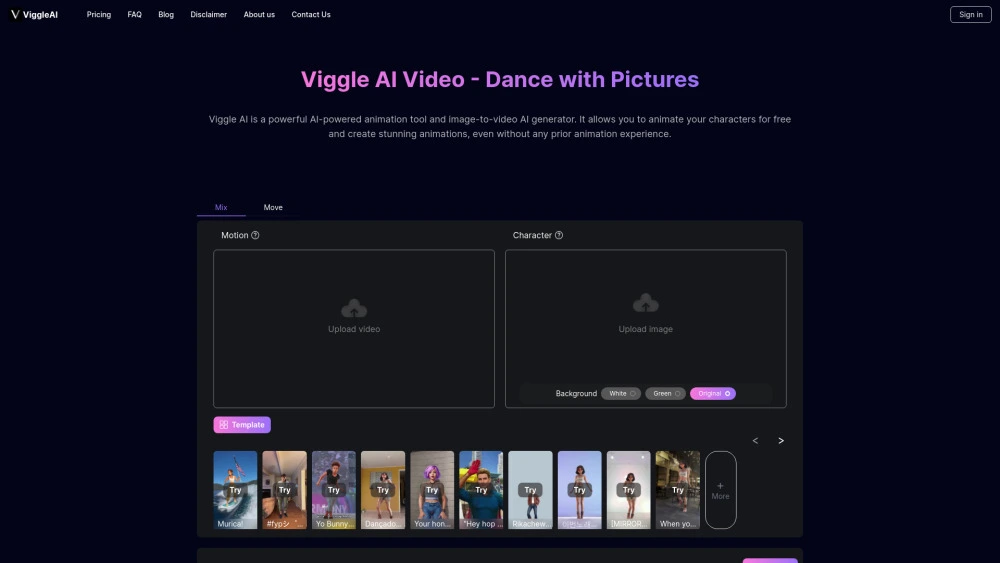
- Access to advanced AI technology at no cost
- User-friendly interface suitable for beginners
- Vibrant community for learning and collaboration
- Regular updates and new features
- Versatility in creating various types of animations
Cons of Viggle AI
- Limited access to some advanced features in the free version
- Potential queue times during peak usage periods
- Learning curve for crafting effective prompts
- Restricted storage for creations in the free tier
Tips for Maximizing Viggle AI Features
To get the most out of Viggle:
- Experiment with different prompt structures
- Participate in community challenges to improve your skills
- Stay updated on new features and commands
- Collaborate with other users on projects
- Use reference images or videos to enhance your animations
By following these tips, you’ll enhance your understanding of using this tool and create impressive content.
Conclusion
Viggle AI offers an exciting opportunity to explore AI-generated video creation without financial barriers. By learning how to use Viggle free, you can tap into a world of creative possibilities. Remember to engage with the community, practice regularly, and stay curious about new features. Whether you’re looking to enhance your content creation skills or simply explore the capabilities of AI in animation, this tool provides a powerful and accessible platform to bring your ideas to life.
FAQs
Viggle AI is an innovative platform that uses advanced machine learning algorithms to generate AI-driven videos and animations. It specializes in character animation and motion capture, allowing users to create realistic and engaging visual content efficiently. By providing detailed prompts, users can generate custom animations and refine them with various tools available on the platform.
Yes, Viggle AI offers a free version with access to many of its powerful features. Users can create text-to-character animations, convert images to videos, and utilize basic motion capture and animation tools. However, some advanced features may be limited or unavailable in the free version, and users might experience queue times during peak periods.
To begin using Viggle AI, follow these steps:
1. Create a Discord account if you don’t already have one.
2. Join the official Viggle Discord server.
3. Familiarize yourself with the interface, available commands, and community guidelines.
4. Start creating animations by selecting characters or scenes and providing clear prompts.
5. Refine your animations, and then export and share your creations.
To maximize the potential of Viggle AI, consider the following tips:
1. Experiment with different prompt structures to see what works best.
2. Participate in community challenges to learn new techniques and improve your skills.
3. Collaborate with other users for inspiration and feedback.
4. Use reference images or videos to guide your animations and achieve more realistic results.
